Think about a good reception desk
The person behind a good reception desk does not solve every problem. They listen, work out what you need, decide how urgent it is and send you to the right person, quickly and politely. You leave feeling looked after, even though they never touched your actual request.
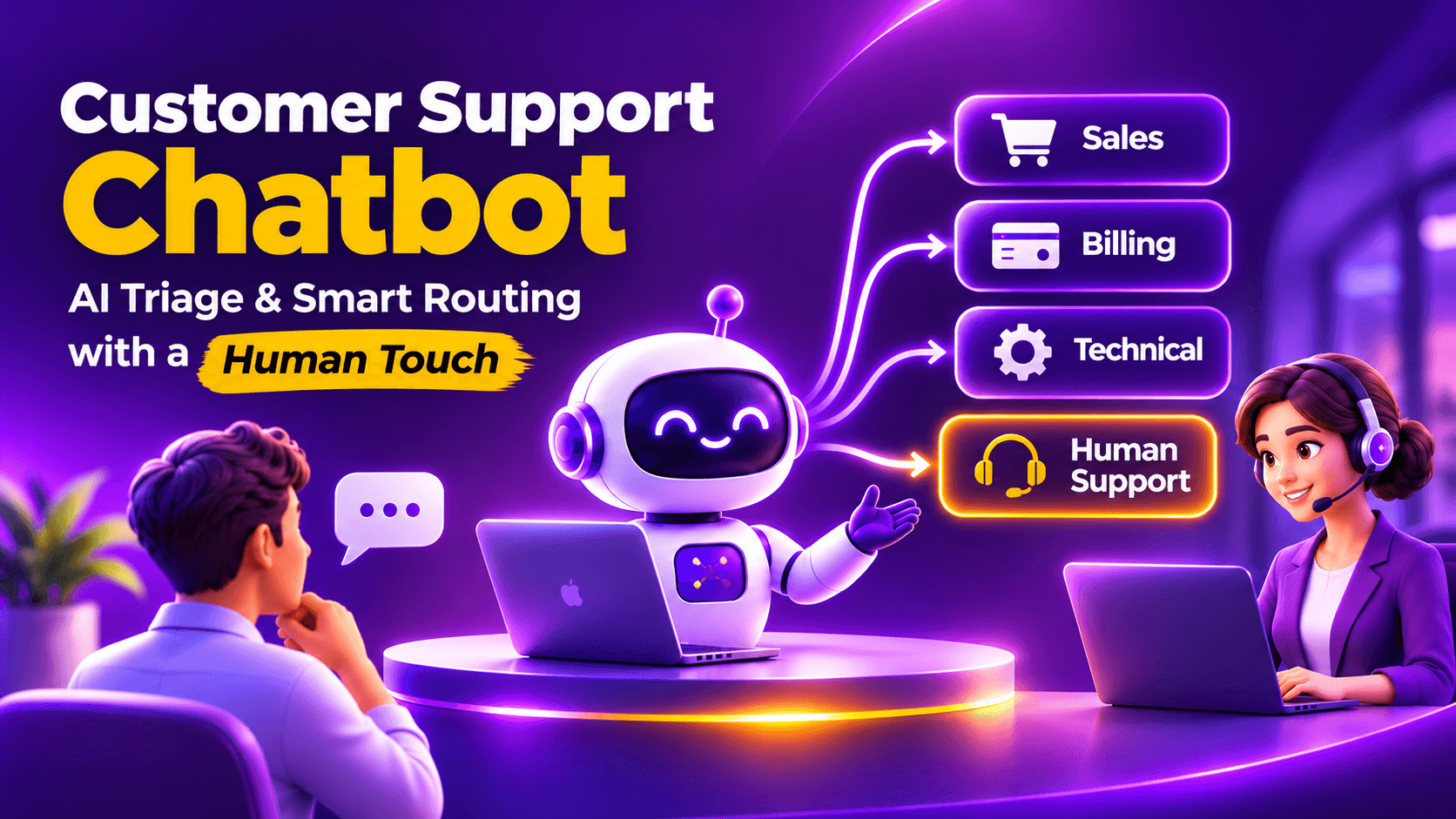
That is the job of triage in customer support, and it is the part of support that an AI chatbot can do exceptionally well. Done properly, it does not replace your team. It makes sure every customer reaches the right person with their story already told.
This guide explains what support triage and routing are, how an AI based chatbot handles them, which safeguards protect customer trust, and how to measure whether it is working.
What are support triage and routing?
Triage is the sorting step. It answers three questions about every incoming request:
1. What is this about? Classification by intent, such as an order query, a billing issue or a technical fault.
2. How urgent is it? Prioritisation based on urgency, sentiment and the value or risk involved.
3. Who should handle it? Routing to the right person, team or queue, with the context attached.
In a small business, this sorting is usually done by whoever opens the inbox first. As volume grows, that person becomes a bottleneck, and customers wait in the queue while the right agent is busy answering the wrong question.
Why this matters now
Three pieces of research explain why support leaders are turning to AI triage this year, and why they need to do it carefully.
The pressure to adopt is high
A Gartner survey of 321 customer service and support leaders, conducted in October 2025, found that 91 percent were under pressure from executive leadership to implement AI in 2026. Their stated priorities were customer satisfaction, operational efficiency and self-service success, with many looking to AI to support first contact resolution and reduce customer effort.
Customers expect speed
A HubSpot Research consumer survey, conducted in 2018 and cited in HubSpot's 2022 State of Service report, found that 90 percent of customers rate an immediate response as important or very important, and 60 percent define immediate as ten minutes or less. The survey is dated, but the expectation it describes has not softened.
Customers are wary of AI
A Gartner survey of 5,728 customers, conducted in December 2023, found that 64 percent would prefer that companies did not use AI in customer service, and 53 percent would consider switching to a competitor if they learned a company was going to use it. Their top concern was difficulty reaching a person.
Read together, these findings point to a clear design rule. Use AI to make the first response fast and the routing accurate, and make it easy to reach a human at any moment.
AI triage vs scripted menus
Many businesses already have a form of automated triage: the menu. "Press 1 for billing. Press 2 for orders." Scripted chatbots follow the same logic in chat form.
The weakness is that a menu makes the customer do the classifying. The customer has to guess which category their problem belongs to, and when it fits none of them, they pick the nearest one and get routed wrongly.
An AI based chatbot reads the customer's own words. It can understand a message such as "I was charged twice and my order has not arrived," recognise that it contains two issues, and handle them accordingly. It holds the context of the conversation, so the customer does not have to repeat themselves. And when it is grounded in a knowledge base through retrieval augmented generation (RAG), its answers come from your real policies and documents instead of a fixed script.
A practical triage framework
The table below is an illustrative framework. Adapt the categories and actions to your own business.
| Category | Typical example | Chatbot action | Route to |
|---|---|---|---|
| Pre-sales enquiry | "Do you offer this in Pune?" | Answer from knowledge base, capture details | Sales |
| Order or delivery status | "Where is my order?" | Answer if connected to your order data, otherwise collect order details | Support queue |
| Billing or refund | "I was charged twice" | Collect invoice details, confirm policy | Billing team |
| Technical issue | "The app will not log in" | Guided steps from documentation, then collect logs or screenshots | Technical support |
| Complaint | "This is the third time I am asking" | Acknowledge, capture the details, flag as priority | Senior agent |
| Urgent or sensitive | "I need this resolved today" | Hand over immediately | Human agent |
Resolve correctly or route with context
The aim is not to resolve everything in the chat. It is to make sure that every request is either resolved correctly or reaches the right person with the right information.
The five-step triage workflow
1. Understand
The chatbot reads the message, identifies the intent and checks whether more than one issue is involved. It asks a clarifying question when the request is ambiguous.
2. Check the knowledge base
If the answer exists in your documents, such as a delivery policy, a returns process or a product guide, the chatbot responds from it. MagicFlow AI builds a retrieval index from your website, documents or PDFs, so answers stay grounded in your own content, with source citations.
3. Resolve or collect
When the chatbot can resolve the request, it does. When it cannot, it collects the details a human will need, such as an order number, a screenshot or a preferred time to call, so the agent does not have to ask for them again.
4. Score priority
Urgency, sentiment, the customer's history and the value at stake all feed into priority. MagicFlow AI scores conversations live, combining qualification answers, source quality, page intent and engagement signals, and can flag high priority conversations with alerts.
5. Route with context
The conversation goes to the right team or queue with a summary and the full transcript attached. MagicFlow AI supports routing of leads and support requests to the right team with CRM ready fields, email alerts, priority flags and notes. Its integrations page lists connections with CRMs such as HubSpot, Zoho CRM and Salesforce, so confirm your own helpdesk or CRM during onboarding.
Safeguards that protect customer trust
Because customers are cautious about AI, the safeguards matter as much as the automation.
Always offer a human
Make "talk to a person" visible and respected at every step. Since difficulty reaching an agent is the top customer concern, this is the single most important safeguard.
Define escalation triggers
Hand over when a customer rephrases the same question repeatedly, when sentiment turns negative, when the topic is sensitive or when the value at stake is high.
Do not let the AI guess
A chatbot grounded in your knowledge base should say when it does not know, and route the conversation, rather than invent an answer.
Be open about it being AI
Customers should know they are talking to an automated assistant.
Collect only what you need
Under India's DPDP Rules, a clear notice must accompany or precede a request for consent, and the main obligations apply from 13 May 2027. Ask only for the data the request requires. This is general information, not legal advice.
The knowledge base is the real engine
A triage chatbot is only as accurate as the content behind it. Gartner's survey found that 58 percent of service leaders aim to upskill agents into knowledge management specialists, recognising that AI systems and self-service both depend on accurate, continually updated content.
In practice, that means keeping policies, prices and process documents current, writing answers in plain language that match how customers actually phrase questions, and reviewing the questions the chatbot could not answer and filling those gaps each week.
Think of the knowledge base as the training manual for your newest team member, who happens to answer every customer at once.
How to measure whether it is working
Set a baseline for thirty days before you change anything, then track the same measures afterwards.
| Metric | What it shows |
|---|---|
| First response time | How quickly a customer receives a useful reply |
| First contact resolution | How many requests are solved without further contact |
| Escalation rate | How often the chatbot hands over to a human |
| Misroute rate | How often a request reaches the wrong team |
| Handoff completeness | Whether the agent had to ask the customer again |
| Customer satisfaction | How customers rate the experience |
| Unanswered question rate | Gaps in the knowledge base |
A 30 day rollout plan
Week 1: Audit
Categorise the last few hundred requests by type and urgency. This becomes your triage framework.
Week 2: Build
Prepare the knowledge base, write routing rules and define escalation triggers.
Week 3: Soft launch
Switch the chatbot on for limited pages or hours, with agents watching conversations.
Week 4: Review and refine
Read transcripts, fix wrong answers, adjust routing and decide where to widen coverage.
Common mistakes to avoid
Hiding the human option. This is the fastest way to lose trust.
Launching with a thin knowledge base. Weak answers create more tickets than they remove.
Treating the chatbot as set and forget. Transcripts show exactly where your documentation and your processes fail.
Automating complaints. Emotional or high value issues usually deserve a person, quickly.
Measuring only deflection. Success is a customer who got the right outcome, not one who gave up.
Where MagicFlow AI fits
It is worth being clear about positioning. MagicFlow AI is an AI based chatbot built for Indian SMEs, with lead qualification and website conversations at its core. For support triage, it is well suited to the first line: greeting customers, answering from your knowledge base, collecting details, scoring priority and routing the conversation to the right team with context, in the customer's own language. See the full list of features and pricing.
For complex ticket handling, it should hand over into your existing helpdesk or CRM instead of replacing it. If you are setting up a chatbot for the first time, start with our guide to the AI chatbot for website lead capture.
The takeaway
Good support is not about answering every question instantly. It is about making sure every customer is understood quickly and reaches the right person with their story already told.
An AI based chatbot is well suited to that first step, provided the knowledge base is sound, the human route is always open and the results are measured honestly. Start small, read the transcripts and let the data decide how far to widen it.
- Gartner, "Gartner Survey Finds 64% of Customers Would Prefer That Companies Didn't Use AI For Customer Service," 9 July 2024 https://www.gartner.com/en/newsroom/press-releases/2024-07-09-gartner-survey-finds-64-percent-of-customers-would-prefer-that-companies-didnt-use-ai-for-customer-service
- Gartner, "Gartner Survey Finds 91% of Customer Service Leaders Under Pressure to Implement AI in 2026," 18 February 2026 https://gartner.com/en/newsroom/press-releases/2026-02-18-gartner-survey-finds-ninety-one-percent-of-customer-service-leaders-under-pressure-to-implement-ai-in-2026
- Stealth Agents, "Customer Support First Response Time Statistics 2026," summarising HubSpot's State of Service Report 2022 and its 2018 consumer survey https://stealthagents.com/research/customer-support-first-response-time-statistics-2026
- MagicFlow AI, homepage (knowledge base, lead scoring, routing and multilingual features) https://www.magicflowai.io/
- MagicFlow AI, "CRM Integrations" https://www.magicflowai.io/integrations
- S.S. Rana and Co., "MeitY Notifies Final Digital Personal Data Protection Rules 2025" https://ssrana.in/articles/meity-notifies-final-digital-personal-data-protection-rules-2025/
- AZB and Partners, "Update: India's Digital Personal Data Protection Framework Comes Into Effect" https://www.mondaq.com/india/privacy-protection/1708314/update-indias-digital-personal-data-protection-framework-comes-into-effect
Common questions from this article.

Head of Digital Marketing, MagicWorks IT Solutions
Purva Desai is the Head of Digital Marketing at MagicWorks IT Solutions, bringing 16 years of experience across visual arts and digital strategy. A trained artist with a Master's in Visual Art and a background in art therapy, she began her career as a graphic designer, later working as an Art Director before moving into performance marketing, SEO, and brand strategy. This dual foundation, art and analytics, shapes how she approaches marketing: understanding not just what drives clicks, but what drives human perception and emotion. She now leads MagicWorks' digital marketing department, writing on AI, buyer psychology, and the evolving intersection of creativity and data in marketing.